Studio Rental Mistakes That Cost Businesses: How to Avoid Expensive Booking Errors
A studio rental can look simple at first: choose a space, select a date, and pay the hourly rate. The costly problems usually appear after the booking is confirmed. The room may be too small for the lighting plan, the crew may lose time during load-in, the required backdrop may not be available, or the session may run into overtime before the key shots are complete. These mistakes can cause budget overruns, missed campaign deliverables, rushed client approvals, extra equipment rentals, and even a full reshoot. The best way to protect your budget is to plan the production before choosing the studio.
For businesses in New York City, studio planning also includes practical details such as building access, elevators, product deliveries, crew arrival times, wardrobe needs, equipment requirements, and the type of content being produced. A studio that works for simple headshots may not work for a fashion lookbook, e-commerce product shoot, commercial video, casting session, or brand launch. This guide explains the most common studio rental mistakes businesses make and how to avoid them before your shoot day begins.
How a Poor Studio Booking Turns Into a Business Cost
A studio booking can affect much more than the room itself. It can affect the number of usable images you produce, how comfortable your client feels, how efficiently the crew works, and whether the campaign stays on schedule. The lowest hourly rate is rarely the full cost of the production.
| Booking Problem | Likely Cost Impact | What It Can Affect |
| Studio is too small | Overtime, rushed setups, limited shots | Camera distance, lighting, wardrobe, crew movement |
| Wrong studio type | Reshoot or costly workaround | Daylight, blackout needs, cyc wall, video workflow |
| Missing equipment | Last-minute rental or delivery fees | Lighting, stands, modifiers, backdrops |
| Underbooked time | Overtime fees and incomplete deliverables | Setup, test shots, wardrobe changes, breakdown |
| Poor load-in planning | Delayed crew and unused studio time | Products, props, garment racks, gear cases |
| Unclear rental policies | Unexpected charges or lost booking fees | Cancellation, damage, cleaning, overtime |
| No shot list | Missed campaign assets and inefficient use of time | Product angles, social content, video clips, client approvals |
A better booking decision starts with the full production plan. That includes the room, gear, people, deliverables, access needs, and time required to finish the work properly.
1. Booking Based Only on the Hourly Rate
The listed studio rate is important, but it should never be the only number in the budget. A less expensive room may cost more overall if it lacks the equipment, space, layout, access, or support your team needs. A studio that saves money upfront but results in overtime, missed shots, poor lighting, or a reshoot is not a cost-effective choice.
Before booking, calculate the complete production cost. Include the studio minimum, overtime rate, equipment rental, backdrop costs, cyc wall use, styling support, assistants, parking, deliveries, props, cleaning, and possible extra time. Some studios may have a lower hourly rate but require additional equipment to be rented. Others may include lighting, stands, modifiers, Wi-Fi, or changing areas that reduce the amount your team needs to bring. Love Studios NYC lists spaces with varying starting rates and minimum booking periods, so businesses should confirm both the rate and the minimum duration before planning their schedule.
Questions to Ask Before Comparing Studio Prices
Before choosing the cheapest option, ask these questions:
- What is the minimum booking time?
- What is the overtime rate?
- Are lighting and grip tools included?
- Is a backdrop or cyc wall included in the price?
- Does the studio charge for setup, cleaning, or equipment use?
- Are there delivery, freight, or access costs?
- Is there a damage deposit or insurance requirement?
- Does the studio provide tables, chairs, garment racks, or makeup space?
- Will the studio layout reduce the need for extra rentals?
A studio should be judged by the total value it gives your production, not only by the number shown beside the hourly rate.
2. Renting the Space Before Defining the Production Footprint
A studio can look spacious online and still become crowded once the crew, lighting, wardrobe, products, props, camera gear, and clients arrive. This is one of the most common reasons businesses lose time during a shoot. The photographer may not have enough distance for full-body shots, lights may block walkways, and the client may have nowhere comfortable to review images or wait between takes.
Your production footprint includes every person and item that needs space during the booking. This may include photographers, videographers, assistants, stylists, makeup artists, clients, models, wardrobe racks, product tables, softboxes, C-stands, tripods, teleprompters, monitors, sound equipment, prop furniture, and gear cases.
Estimate Your Production Footprint Before Booking
Before selecting a studio, answer these questions:
- How many people will be on set at one time?
- Are you shooting headshots, full-body portraits, products, video, or wide commercial scenes?
- Will you use large softboxes, umbrellas, C-stands, or boom arms?
- Do you need a product table, food-prep area, styling area, or set build?
- Will hair, makeup, wardrobe, or client teams attend?
- Do you need a private changing area?
- Will you be shooting tethered to a computer or monitor?
- Do you need space for a client approval station?
- Will you need room for furniture, props, rolling racks, or large product deliveries?
A studio should give the production room to move safely and work efficiently. A tight setup may be acceptable for simple tabletop products or one-person headshots, but it can become a major problem for fashion shoots, campaigns, commercial video, casting calls, and larger client-attended productions.
3. Booking the Wrong Studio Type for the Deliverables
“Studio rental” is a broad term. A daylight loft, blackout studio, cyc wall room, portrait space, content studio, showroom, casting venue, and event venue all serve different purposes. Choosing the wrong format can limit the look you want to create or force the team to spend time solving problems that could have been avoided at the booking stage.
Daylight Studio vs Blackout Studio
A daylight studio works well for portraits, lifestyle content, fashion, beauty, social media, and natural-light photography. Large windows can create soft light and a bright editorial look, but daylight changes throughout the day. Cloud cover, the season, window direction, nearby buildings, and time of day can all affect exposure and color.
A blackout studio is better when you need full lighting control. It is useful for flash photography, controlled LED video lighting, dramatic portraits, projection, product photography, color effects, and commercial shoots where every frame must stay consistent. Confirm whether the windows can be fully covered if your shoot needs to move from daylight to controlled artificial lighting.
Cyc Wall Studio vs Standard Backdrop Studio
A cyc wall creates a smooth transition from wall to floor. This is useful for commercial product photos, fashion, full-body portraits, video, clean advertisements, and images that need a seamless white, gray, or colored background. A standard backdrop studio may be enough for headshots, smaller products, social media content, or portrait sessions that only require seamless paper or fabric backgrounds. Love Studios NYC lists cyc wall studios in Manhattan, including spaces with lighting options, equipment rentals, loading access, and freight elevator access.
Photo Studio vs Video Studio
Photography and video can require different studio conditions. A photo studio may work perfectly for flash-based portraits but may not suit a video interview if there is background noise, limited room for audio gear, poor power access, or no control over daylight. Video shoots require attention to sound, continuous lighting, cable management, camera depth, teleprompter space, and longer setup times.
Before booking for video, confirm the studio’s sound environment, lighting options, ceiling height, available power, room depth, nearby noise, and space for microphones, tripods, monitors, and crew movement.
Showroom, Casting, Pop-Up, or Event Space
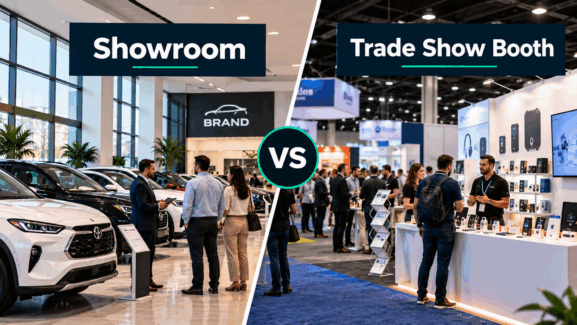
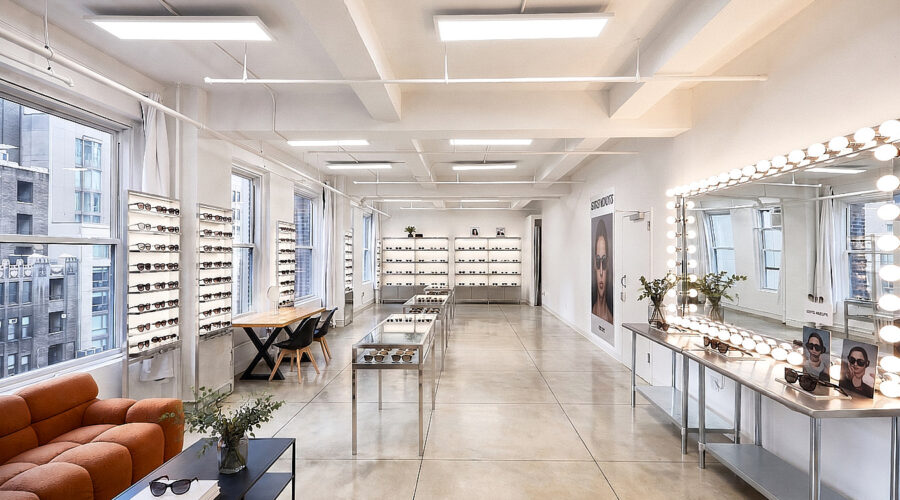
A casting call, fashion showroom, product launch, pop-up shop, and brand event need a different layout than a photography session. A casting venue may need check-in space, waiting areas, privacy, and a smooth flow for talent. A showroom may need room for racks, displays, buyers, press, and product presentation. A pop-up or event venue may need guest circulation, lighting, signage, power, and display space. Love Studios NYC lists separate categories for photo studios, showrooms, casting venues, pop-up spaces, and event rentals, so businesses should select the space based on the actual project rather than booking a standard photo studio for every use.
Choose the Right Studio Format by Business Use Case
The right studio format depends on what your business needs to create. This table gives a practical starting point before you compare individual spaces.
| Business Use Case | Most Suitable Space | Main Requirement |
| E-commerce product photography | Controlled photo studio or cyc wall studio | Consistent lighting, clean background, product table |
| Fashion lookbook | Daylight studio, blackout studio, or cyc wall | Wardrobe room, full-body framing, lighting control |
| Beauty or cosmetics campaign | Controlled photo studio | Soft lighting, makeup area, clean retouching workflow |
| Corporate headshots | Portrait studio or office-style studio | Tethered review, client flow, consistent background |
| Video interviews | Quiet video studio or controlled interior studio | Sound, power, lighting, camera depth |
| Social media content | Daylight studio or styled content studio | Flexible backgrounds and quick set changes |
| Casting session | Casting venue or larger studio | Check-in flow, waiting area, privacy |
| Showroom or press preview | Showroom space | Product display, guest movement, presentation space |
| Pop-up or brand activation | Event or pop-up venue | Display area, foot traffic, power, layout flexibility |
4. Assuming Equipment and Amenities Are Included
A studio may look fully equipped in listing photos, but that does not always mean every light, modifier, backdrop, monitor, table, or accessory is included in your booking. Businesses often make plans based on what they expect to find, then lose time on shoot day when a key item is unavailable or carries an additional rental fee. Never build a production plan around equipment that has not been confirmed. “Studio available” and “equipment included” are two separate things.
Confirm These Items in Writing
Before booking, confirm the availability and cost of:
- Studio strobes or continuous LED lights
- Light stands and C-stands
- Softboxes, umbrellas, beauty dishes, grids, and modifiers
- Reflectors, flags, and diffusion panels
- Flash triggers and extension cords
- Seamless paper and backdrops
- Cyc wall access and paint condition
- Tables, stools, chairs, and furniture
- Garment racks, steamers, and mirrors
- Tethered monitor or computer access
- Wi-Fi and power outlets
- Makeup station and changing area
- Restrooms and climate control
- Freight access or elevator access
- Camera, lens, audio, or grip rentals
5. Treating Booked Time as Camera Time
One of the fastest ways to create overtime is to treat every booked hour as shooting time. A four-hour booking does not mean four hours of finished photos. A professional shoot needs time for load-in, lighting, background setup, test shots, client approval, wardrobe changes, set adjustments, product preparation, breakdown, and cleanup.
A production that begins shooting immediately after arrival may seem efficient, but it often produces rushed lighting, missed details, inconsistent images, and confusion later in the day. The time spent setting up properly protects the quality of the final deliverables.
| Production Phase | Purpose |
| Load-in | Bring in cameras, products, wardrobe, props, and gear |
| Setup | Build backdrops, place lighting, arrange furniture, test layout |
| Test shots | Check exposure, color, reflections, sound, and composition |
| Main shoot | Capture primary campaign, product, portrait, or video assets |
| Set changes | Change backgrounds, lighting, products, talent, wardrobe, or props |
| Client review | Approve direction and identify pickup shots |
| Breakdown | Pack gear, clear the set, clean the space, and load out |
Build a Realistic Studio Schedule
Businesses should reserve time for setup, lighting tests, client review, wardrobe changes, product preparation, and breakdown. This is especially important for commercial shoots with multiple products, talent looks, campaign formats, or video deliverables.
A simple rule is to schedule the studio for the full production window, not only for the moment the camera starts shooting. Rushed sessions can result in missing product angles, incomplete social content, delayed campaign delivery, and unnecessary overtime fees.
6. Ignoring Load-In, Delivery, Parking, and Building Access
A studio may be perfect creatively but still fail operationally if your crew cannot move products, props, wardrobe, lighting, or furniture into the building on time. This issue is especially important in Manhattan, where elevators, loading access, street traffic, parking, building hours, and delivery timing can affect the entire shoot schedule.
Before booking, ask how equipment enters the building. Confirm whether there is a freight elevator, loading entrance, stair-only access, building check-in, delivery window, security requirement, or restrictions for large items. This matters for brands bringing product shipments, fashion teams with rolling racks, video crews with stands and cases, or agencies bringing props and furniture.
Access Details to Confirm Before Shoot Day
Check these items before the crew arrives:
- Freight elevator availability
- Passenger elevator size and hours
- Loading dock or loading zone access
- Parking options for crew and delivery vehicles
- Building entry requirements
- Security or front-desk check-in
- Delivery acceptance policy
- Stair access for oversized items
- Product shipment timing
- Early access options
- Building restrictions for evening or weekend bookings
- Storage options before or after the shoot
7. Forgetting Client, Talent, and Team Needs
A successful shoot depends on the people in the room. Client comfort, talent privacy, crew workflow, and basic amenities can affect how smoothly the day runs. If the team has nowhere to sit, change clothes, prepare makeup, charge devices, review images, or store personal items, time will be lost solving problems that should have been addressed before the booking.
For headshots, beauty shoots, fashion campaigns, product launches, casting sessions, and client-attended productions, the studio should support the full working day rather than only the camera setup.
Client and Talent Needs to Confirm
Before booking, confirm whether the studio provides:
- A changing area or private room
- Makeup and hair space
- Mirrors and garment racks
- Restrooms
- Seating for clients and crew
- Temperature control
- Wi-Fi
- Power for laptops and chargers
- Space for food and water
- A quiet place for approvals or calls
- Secure storage for products and personal belongings
- Accessibility support where needed
A well-planned client experience protects the budget because it reduces interruptions, keeps talent comfortable, and allows the production team to stay focused on the shot list.
8. Treating Rental Terms as an Afterthought
Rental terms are part of the production plan. Businesses sometimes review them only after a cancellation, overtime issue, cleanup charge, damaged item, or access delay. By then, the options may be limited.
Read the terms before paying the deposit. Confirm the written rules for timing, payment, cancellation, damage, insurance, cleaning, noise, guests, equipment, and special effects. A policy that seems minor can become expensive when the production is already in motion.
Studio Rental Terms to Review
Before signing or paying, check:
- Deposit amount and payment schedule
- Minimum booking time
- Overtime rate and overtime approval process
- Cancellation and rescheduling policy
- Refund rules
- Damage responsibility
- Cleaning requirements and cleaning fees
- Insurance requirements
- Equipment loss or damage terms
- Guest and crew limits
- Noise restrictions
- Food and drink rules
- Policies for smoke, haze, paint, liquids, animals, or special effects
- Start and end time for studio access
- Rules for deliveries, early arrival, and late departure
Clear written terms help businesses make faster decisions if schedules change or unexpected production issues arise.
9. Booking Without a Deliverables List and Shoot Schedule
A studio booking should support a clear list of deliverables. Without a shot list or schedule, the crew may spend too long on lower-priority images and run out of time before the most important campaign assets are complete. This mistake is common in product shoots, content days, fashion campaigns, corporate headshot sessions, and mixed photo-video productions.
A deliverables list should state what needs to be captured, how it will be used, and which shots are most important. This helps the photographer, producer, stylist, client, and studio team make better use of the booked time.
Include These Details in Your Deliverables Plan
Your production plan should include:
- Number of final images required
- Product variations and colors
- Required angles and close-ups
- Portrait styles and crops
- Vertical and horizontal compositions
- Website banners and ad formats
- Social media content requirements
- Video clips and B-roll
- Talent looks and wardrobe changes
- Background changes
- Priority shots
- Client approval points
- Backup shots if time allows
10. Skipping a Studio Walkthrough or Pre-Production Call
A studio walkthrough, video tour, or short pre-production call can prevent hours of wasted time. It allows the business to confirm the room size, ceiling height, windows, power, access route, equipment, background options, crew capacity, and rental policies before shoot day.
Even if an in-person visit is not possible, ask for current photos, a floor plan, measurements, equipment list, and access instructions. Confirm the details that matter to your specific shoot instead of relying only on a general listing description.
What to Confirm During a Walkthrough or Pre-Production Call
Use this checklist:
- Room dimensions and ceiling height
- Daylight conditions and window direction
- Blackout options
- Cyc wall size and condition
- Available backdrops and furniture
- Lighting, grip, and modifier availability
- Power outlet locations
- Wi-Fi reliability
- Noise conditions for video
- Freight elevator and loading access
- Parking and delivery instructions
- Building access hours
- Changing area, makeup station, and restrooms
- Crew limit and client seating
- Overtime process
- Cleaning, damage, and cancellation terms
Ten minutes of confirmation before booking can prevent hours of lost studio time later.
Studio Rental Checklist for Businesses
This checklist can help businesses plan a studio booking with fewer surprises and better control over the budget.
Before Booking
- Define the shoot purpose and final deliverables.
- Confirm the number of crew, clients, talent, and assistants.
- Choose the right studio type: daylight, blackout, cyc wall, portrait, video, showroom, casting, event, or pop-up.
- Confirm room dimensions and ceiling height.
- Confirm lighting, backdrops, grip gear, tables, chairs, and props.
- Check freight elevator, loading, parking, and delivery requirements.
- Confirm setup time, breakdown time, and overtime rates.
- Review cancellation, cleaning, damage, and insurance terms.
- Confirm Wi-Fi, climate control, restrooms, makeup space, changing area, and seating.
- Schedule a walkthrough or pre-production call.
Before Shoot Day
- Share the shot list and production schedule.
- Confirm crew call times.
- Confirm equipment reservations.
- Confirm product, wardrobe, prop, and delivery timing.
- Assign one person to approve extra costs or overtime.
- Prepare a backup plan for late talent, missing products, weather, or changing requirements.
- Confirm studio address, access instructions, floor number, and contact person.
- Pack gaffer tape, chargers, backup batteries, memory cards, and basic tools.
Final Thoughts: Protect the Budget Before You Book
A studio rental should help the production run smoothly instead of creating new problems. The best decision is not always the lowest rate or the most attractive room online. It is the studio that fits your crew, equipment, deliverables, access needs, schedule, client expectations, and lighting plan. A clear brief, realistic schedule, confirmed equipment list, access plan, and written understanding of the rental terms can prevent most expensive studio booking mistakes. Good planning gives your team more time to create strong work and less time solving problems during paid studio hours.